


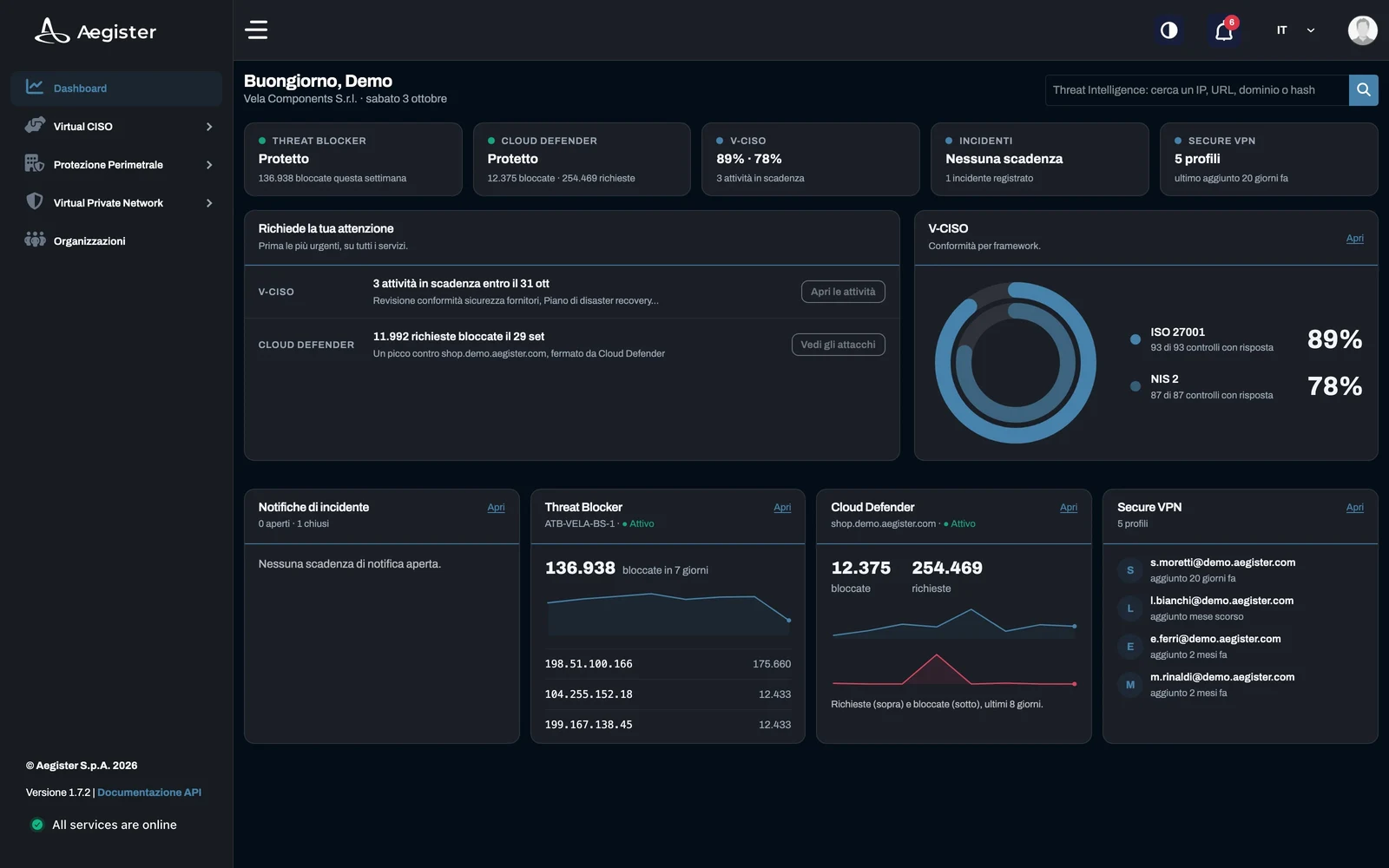
Cyber Console reaches version 2.0. The platform we deliver our services through has been redesigned from top to bottom: a new interface, a search across the whole console, video guides to using it and new functions for compliance, incidents and perimeter protection.
A new interface
Your organization's home shows at once what needs your attention: a task due soon, a document awaiting approval, an incident with a deadline coming up. Next to it you find the status of your active services and compliance progress by framework. Navigation and the dark theme have been rebuilt, in Italian and English.
One search for the whole console
From any page, Cmd or Ctrl+K searches tasks, controls, documents, FAQ and videos, and Enter takes you there.
Video guides to the console
Short narrated videos, in Italian and English, show how to use every part of the console: from search to the evidence of a control, from the Cloud Defender threat log to log analysis. The guides have a search of their own, and the console search finds them from any page.
Compliance and Virtual CISO
For NIS 2 and ISO 27001, every framework has its score, category by category, and every control its detail, with the history of its evaluations and the evidence attached. Tasks have priorities and deadlines, also in a plan over time.
Documents unlock when their related tasks are complete and download as PDF and Word. The version signed by management is uploaded to Cyber Console, which keeps its history. The path is described on the NIS 2 and Virtual CISO pages.
Incident notification
The incident notification module guides your contact person in three steps: describing the incident, assessing whether it is significant, and the communications NIS 2 requires. For each communication, from the early warning to the final report, Cyber Console proposes a draft to review and the texts ready to copy into the ACN portal, where filing stays with you.
Perimeter protection
The Threat Blocker and Cloud Defender status pages show the threats blocked, where they come from and when. In the same section you find Threat Intelligence, to check IP addresses, domains, URLs and files, also through the API, and Log Analysis, which compares a log from your firewall with our threat intelligence.
Getting started
Customers find the new Cyber Console at app.aegister.com. The Cyber Console page describes the platform in detail, and the Cyber Check-up shows you where to start.